First 5 Cricut Projects (In the Order That Teaches You the Machine)
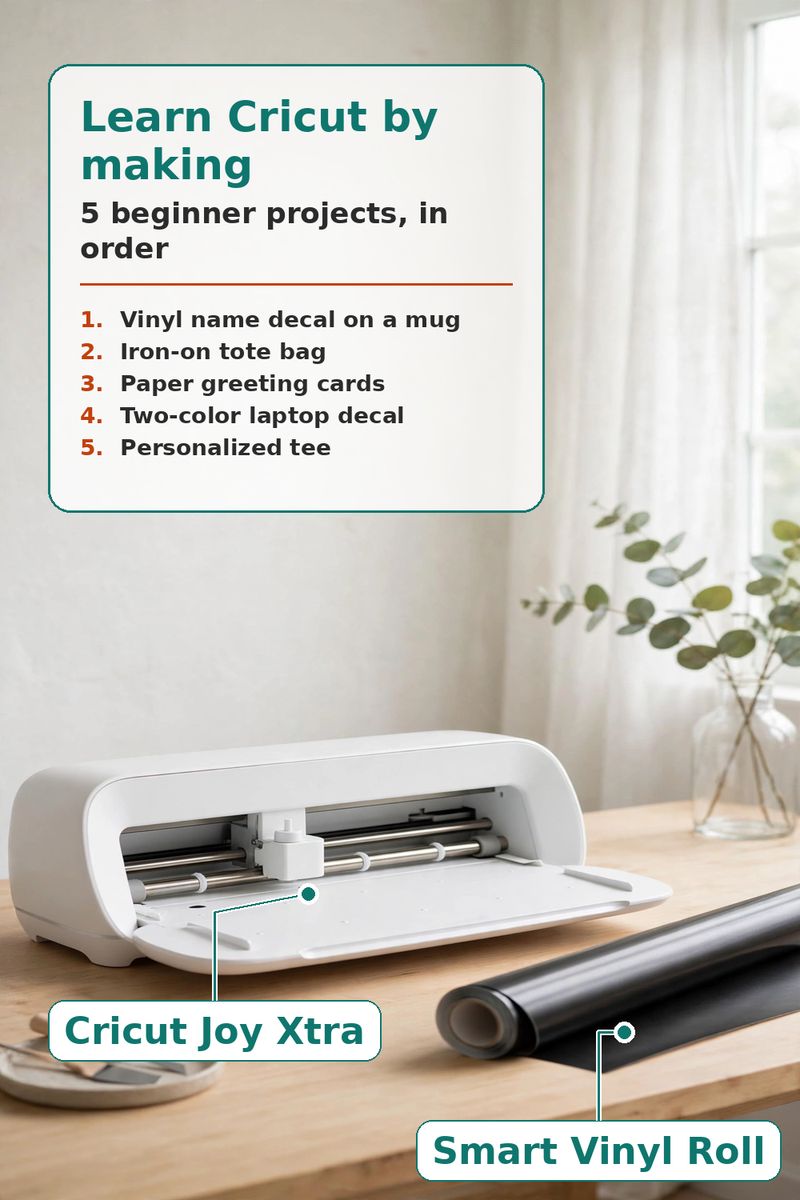
The promise: Five beginner Cricut projects in skill order - each one teaches the next technique
Skip the 40-minute tutorial videos — learn your Cricut by making five beginner projects in the order that builds skill on skill. The kit: a Cricut Joy Xtra machine, one roll of permanent smart vinyl, a roll of transfer tape, a roll of silver Smart Iron-On, and a sampler of insert cards. The 5 projects: 1) a vinyl name decal on a mug (cut, weed, and transfer), 2) an iron-on tote bag (mirroring + heat press basics), 3) paper greeting cards with the fine-point blade, 4) a two-color layered vinyl laptop decal, and 5) a personalized tee that combines everything. Each project teaches exactly one new technique, so you never feel lost — and every technique is reused in the next one. Pin this for your first Cricut weekend.
How this post keeps its promise
Do the projects in this order. Each one adds exactly one new skill.
- Project 1 — Vinyl name decal on a mug (45 min): cut a single name or word from the permanent vinyl (don't mirror — adhesive vinyl cuts face-up), weed the extra vinyl away with the tool, lay transfer tape over the design, peel the backing, and press the tape onto a clean, dry mug. Skill learned: cut → weed → transfer, the core Cricut workflow.
- Project 2 — Iron-on tote bag (60 min): mirror the design before cutting (iron-on cuts face-down — this is the lesson), weed, preheat a household iron or heat press, position the design on a plain canvas tote, and press per the Cricut heat guide. Skill learned: mirroring + heat application.
- Project 3 — Paper greeting cards (30 min): place an insert card on the card mat, cut a simple shape or sentiment from the cardstock layer, and swap the blank insert inside. Skill learned: the fine-point blade and mat loading — no vinyl at all, so mistakes cost pennies.
- Project 4 — Two-color vinyl laptop decal (60 min): cut the same shape in two vinyl colors, weed both, transfer layer one with tape, then line up layer two on top. Skill learned: layering and alignment — the gateway to every design that looks "professional."
- Project 5 — Personalized tee (60 min): design a tee graphic that combines mirrored iron-on text with a layered element, cut both, press the base layer first, then the top layer. Skill learned: sequencing a multi-material project — the payoff project that uses everything from projects 1–4.
Finish all five and you've cut adhesive vinyl, iron-on, and cardstock, mirrored a design, transferred with tape, layered two colors, and heat-pressed two fabrics. That's the full beginner toolkit — everything after this is just new materials.
Products mentioned
- Cricut Joy Xtra Smart Die-cutting Machine, White
the machine everything else on this list runs on — cuts vinyl, iron-on, and cardstock matless up to 8.5" wide, the right size for all five beginner projects.
[Affiliate Link Would Go Here] - Cricut Joy Xtra Smart Vinyl Permanent (20 Ft), 9.5" X 240"
one 20-ft roll of permanent adhesive vinyl covers projects 1 and 4 (mug decal + two-color laptop decal) with plenty left for mistakes — beginners will need it.
[Affiliate Link Would Go Here] - Cricut Joy Xtra Transfer Tape (20 Ft)
transfer tape is how a weeded vinyl design moves from backing to mug or laptop in one piece — skipping it is the #1 beginner frustration, so it's part of the kit from project 1.
[Affiliate Link Would Go Here] - Cricut Smart Iron On, Silver, 2.7 M (9 Ft)
heat-transfer vinyl is the other half of a beginner's kit — project 2 (tote) and project 5 (tee) both use it, and silver shows the technique works on dark and light fabrics.
[Affiliate Link Would Go Here] - Cricut Insert Cards, Rainbow Scales Sampler - R10 (42 Ct), 3.5" X 4.9"
pre-cut card blanks with inserts that teach the fine-point blade and card mat in project 3 — no measuring, no folding mistakes, 42 chances to practice.
[Affiliate Link Would Go Here]
Demo site: product links are placeholders, and prices are intentionally omitted.